 support@rbplugins.com
Simplify your WordPress workflow!
Build faster, cleaner, and more reliable WordPress websites using lightweight plugins designed for real-world workflows.
Get started now
After selecting which fields are available in your form, Forms RB allows you to configure how those fields behave for users and how their data is handled in submissions.
This article explains how field configuration works and what you can control at the field level.
Field configuration is managed inside the Fields tab of the form editor.
Each field can be:
All changes are saved per form and applied instantly after saving.
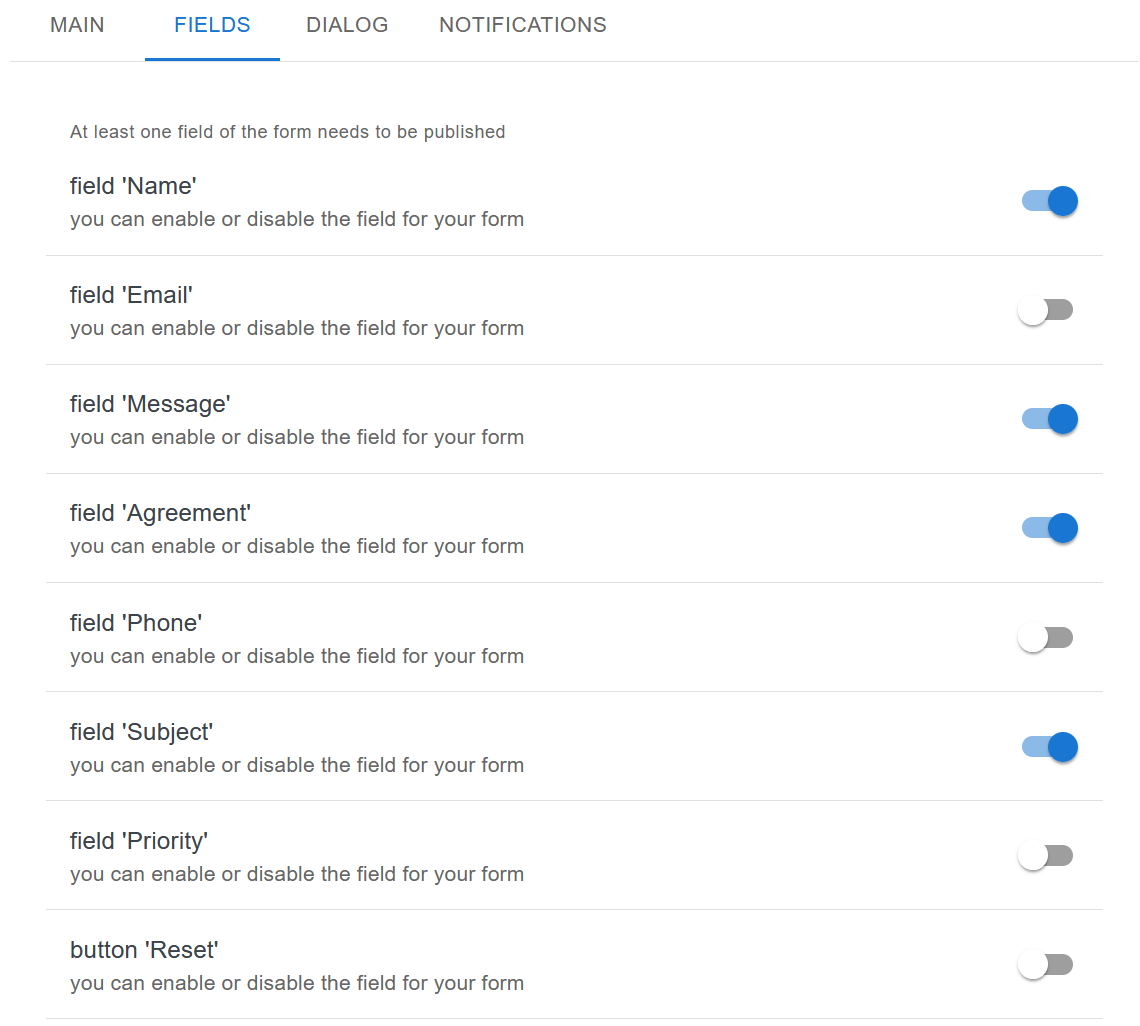
Each field has a simple toggle switch:
At least one field must be enabled for a form to be published.
Each field has a predefined label that is shown to users (for example: Name, Email, Message).
These labels:
Field labels are consistent across the form and submission records.
By enabling or disabling specific fields, you control which information is required from users.
Common configurations include:
This allows you to keep forms minimal while collecting only necessary data.
Only enabled fields:
Disabled fields do not exist from the submission perspective and do not leave empty values in records.
The Reset button can be enabled or disabled like any other field.
When enabled:
This option is useful for longer forms or forms with multiple optional fields.
To keep forms user-friendly:
Once fields are configured, the next step is controlling how and where forms are displayed.
Continue with:
Build faster, cleaner, and more reliable WordPress websites using lightweight plugins designed for real-world workflows.
Get started now