 support@rbplugins.com
Simplify your WordPress workflow!
Build faster, cleaner, and more reliable WordPress websites using lightweight plugins designed for real-world workflows.
Get started now
Forms RB provides a simple and flexible way to manage form fields. Each form includes a predefined set of commonly used fields that can be enabled or disabled depending on your needs.
This article gives an overview of available fields and explains how field availability works inside a form.
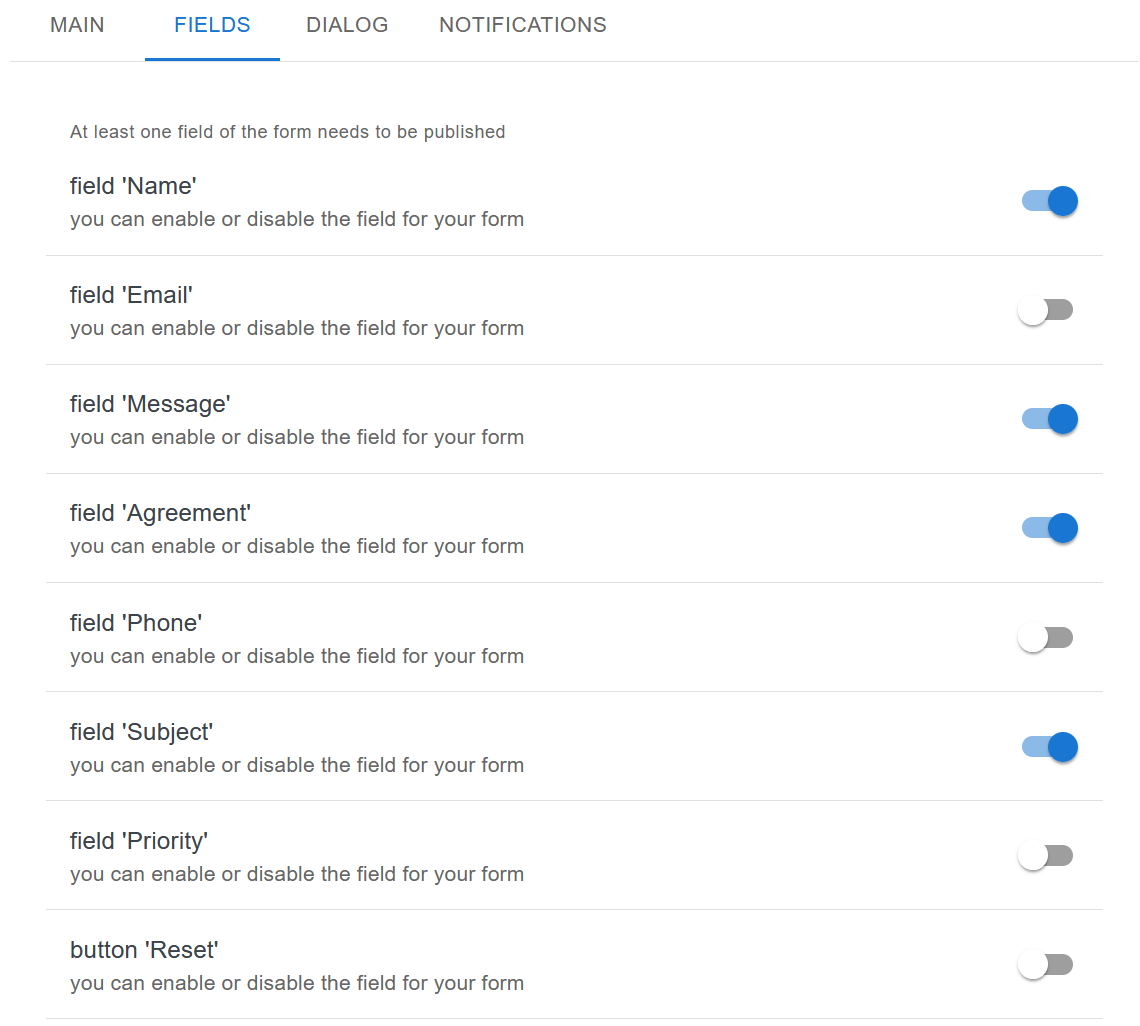
All form fields are managed from the Fields tab inside the form editor.
Key principles:
This approach keeps form configuration clean and predictable.
Forms RB includes the following predefined fields:
A basic text field used to collect the visitor’s name.
Commonly enabled for contact and inquiry forms.
An email input field designed for collecting email addresses.
Can be enabled or disabled depending on whether email contact is required.
A multiline text area used for longer user input.
Typically used for messages, questions, or descriptions.
A checkbox field used for confirmations such as accepting terms, privacy policy, or consent notices.
Useful for compliance and legal confirmations.
An optional field for collecting phone numbers.
Can be enabled when additional contact information is needed.
A short text field allowing users to specify the subject of their message.
Helps organize and categorize submissions.
An optional field that can be used to indicate urgency or importance.
Useful for support or request-based forms.
An optional button that allows users to clear all form fields and start over before submitting the form.
Each field includes a toggle switch:
Changes take effect immediately after saving the form.
Only enabled fields:
This ensures that submissions always match the current form configuration.
This overview covers which fields are available and how they are enabled.
Next steps:
Continue with:
Build faster, cleaner, and more reliable WordPress websites using lightweight plugins designed for real-world workflows.
Get started now