 support@rbplugins.com
Simplify your WordPress workflow!
Build faster, cleaner, and more reliable WordPress websites using lightweight plugins designed for real-world workflows.
Get started now
RB Forms includes a built-in submissions management system that allows you to view, review, and manage all form entries directly inside the WordPress admin area — without relying on third-party services.
Each form stores its own submissions, making it easy to track messages, support requests, or user feedback in one place.
Submissions are available inside each individual form:
This section displays all submissions related only to the selected form.
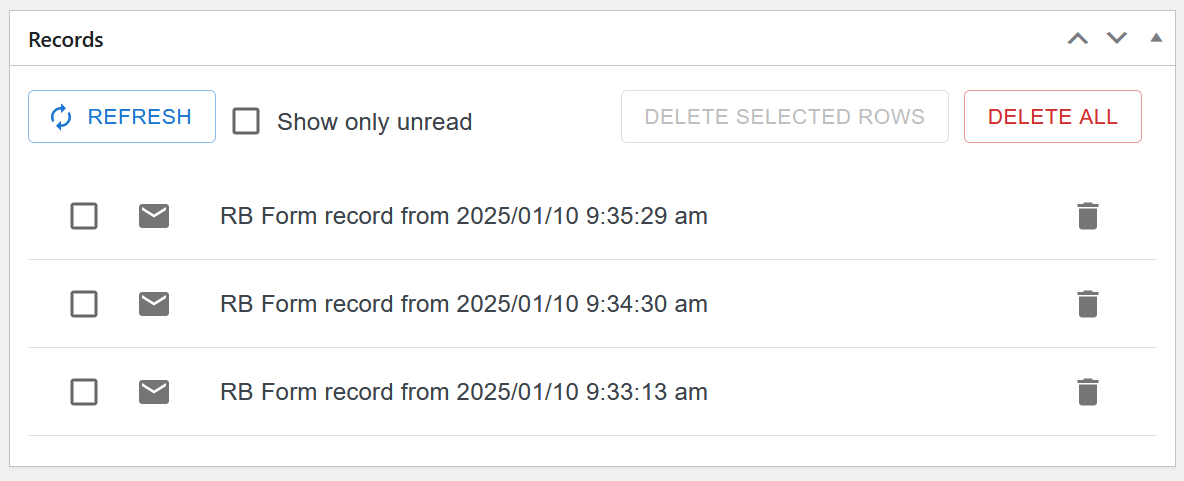
The records list shows each submission as a separate row, including:
At the top of the list, you’ll find control tools to manage entries efficiently.
Click on a submission row to open its detailed view in a dialog window.
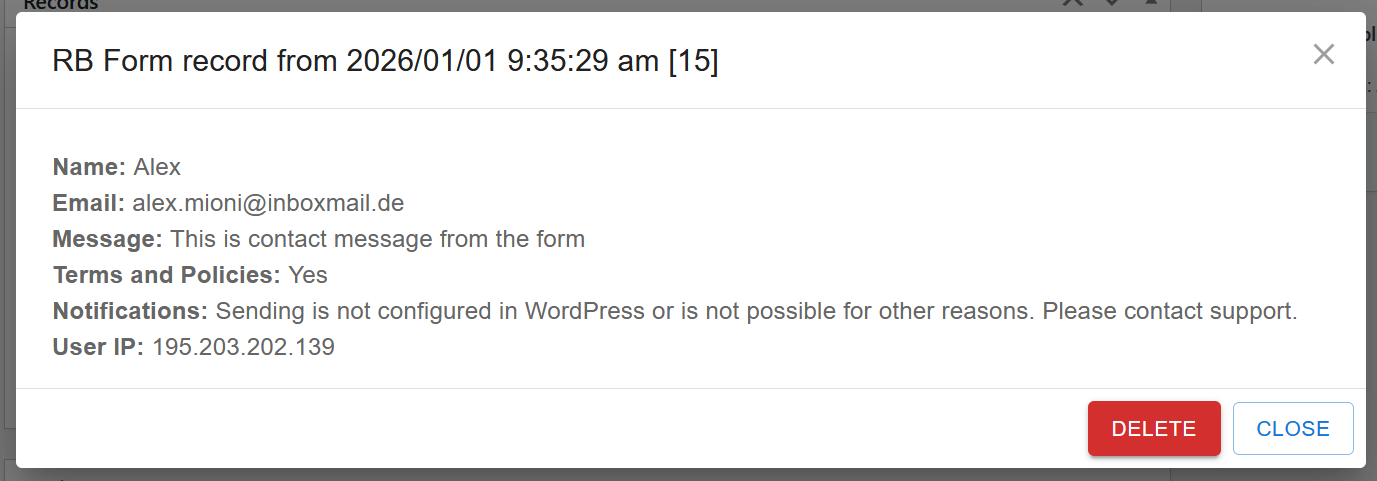
The submission details include:
This dialog allows quick review without leaving the form editor.
RB Forms automatically marks new submissions as unread.
You can:
This is especially useful for support or contact forms where response tracking matters.
Use the Refresh button to reload the submissions list.
This is helpful when:
RB Forms gives you full control over stored data:
⚠️ Important:
Deleted submissions are permanently removed and cannot be restored.
Best practices:
The submissions interface is:
No external dashboards, no complex setup — everything works inside WordPress.
Planned improvements for submissions management include:
RB Forms is designed to grow with your workflow while keeping submission management simple and reliable.
If you need help with submissions or have feature suggestions, feel free to contact our support team.
Build faster, cleaner, and more reliable WordPress websites using lightweight plugins designed for real-world workflows.
Get started now